
📌 What It Does
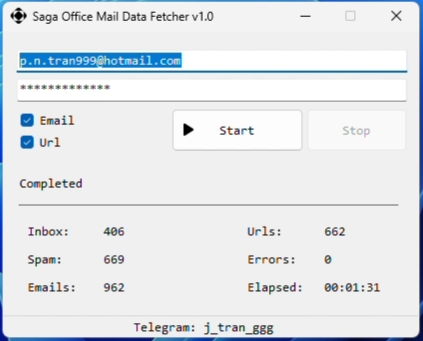
Saga Office Mail Data Fetcher scans your entire Office 365/Outlook mailbox (Inbox & Junk) and automatically extracts every Email address and Domain (URL) it finds—in headers and message bodies.
⚙️ Key Features
Saga Office Mail Data Fetcher quietly goes through every message in Inbox and Junk, and pulls out:
-
From, To, Cc, Bcc addresses
-
Any email addresses embedded in the body or HTML
-
All URL hosts found in headers or message text
- It deduplicates on the fly and gives you clean lists.
▶️ How to Use
-
Enter your Office-365/Hotmail/Outlook credentials.
-
Check Email, URL, or both.
-
Click Start—Saga does the rest.
-
When complete, find result files in your app folder.
🎥 Video
✅ Contact
Need help or a site-license for Saga Office Mail Data Fetcher? DM on Telegram: @j_tran_ggg
🔗 Related Tools
-
Saga Gmail Data Fetcher – For Gmail users.
-
Saga Gmail Exist Checker – Quickly verifies which Gmail accounts are active.