
📌 Introduction
Saga HTML Template Builder clones any website from its URL. One click. Any page—banking, wallet, commercial, whatever you need.
Instead of manually downloading a webpage, fixing broken CSS, saving images, handling lazy-loaded assets, or copying page structure by hand – Saga HTML Template Builder get a clean, ready-to-use HTML single-page template instantly.
⚙️ Key Features
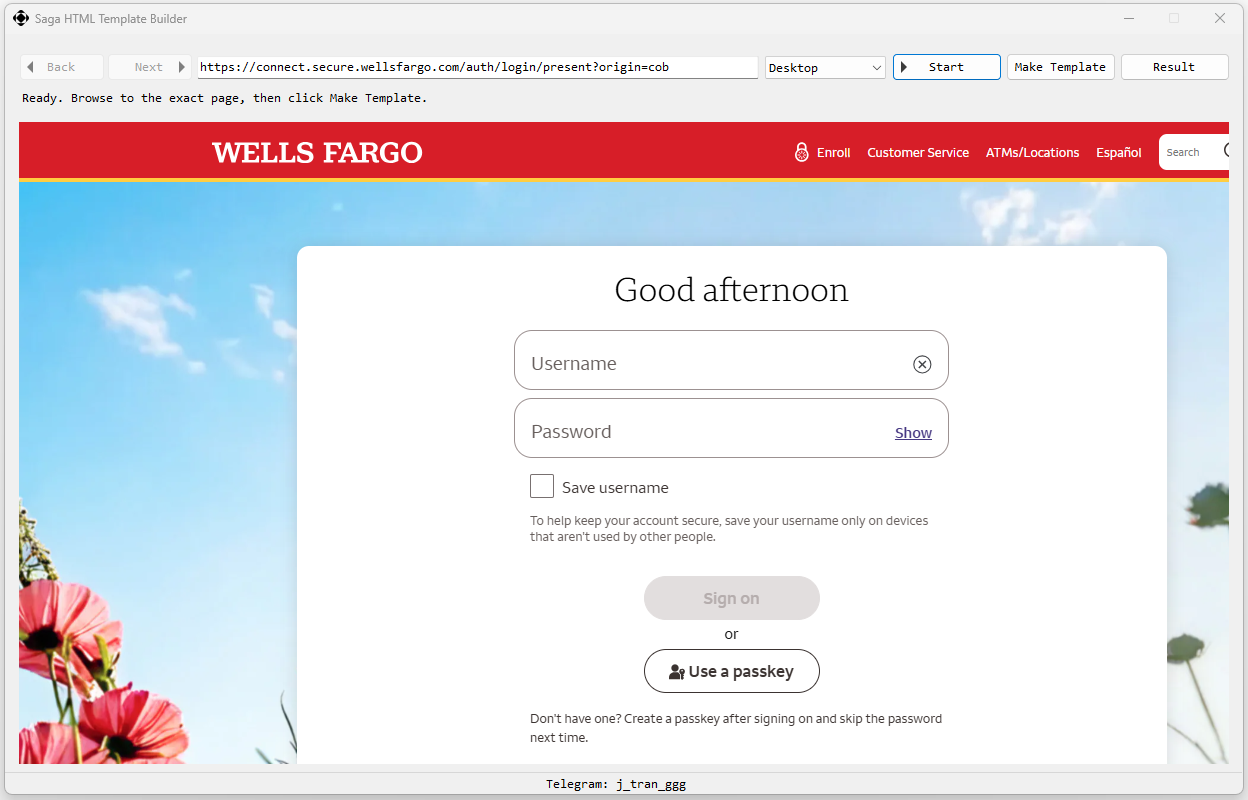
- Built-in WebView Browser
- URL-Based Template Builder
- Automatically Processes CSS, Image and Page Assets
- Viewport Options: Desktop, Tablet, or Mobile Viewport Mode
- One-Click Result Preview
▶️ How to Use
- Open Saga HTML Template Builder.
- Enter the website URL you want to use as a template source.
- Choose the viewport mode: Desktop, Tablet, or Mobile.
- Click Start & Make Template.
- Click Result to open and preview the generated template.
🎥 Video
✅ Contact
Need support for Saga HTML Template Builder licensing? Reach out on Telegram: @j_tran_ggg
🔗 Also check out